

Monitor Controllers






What Does a Monitor Controller Do?
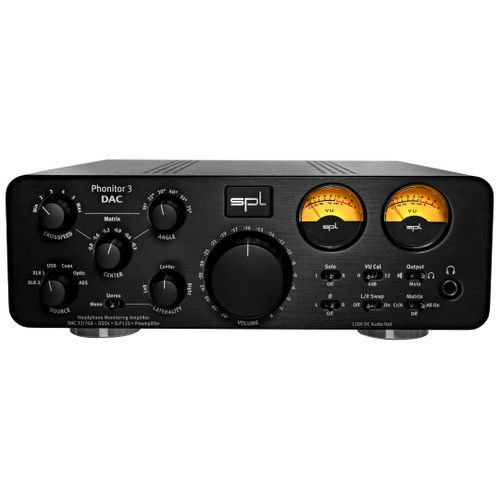
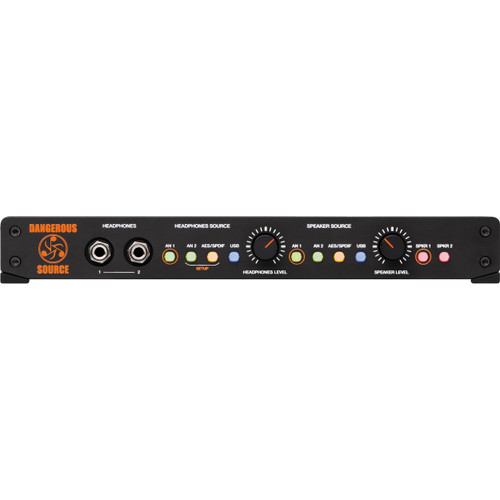
A Monitor Controller sits between your audio sources and monitoring system, providing centralized control over what you hear and how loudly you hear it. Common functions include selecting between multiple input sources, switching between different sets of Studio Monitors, adjusting listening level, muting or dimming the output and checking a mix in mono. Many professional controllers also include talkback, headphone feeds, cue routing and additional outputs for subwoofers or alternate speakers. Bringing these functions together in one place can make everyday monitoring faster and more consistent than adjusting levels independently throughout the studio.
Choosing a Studio Monitor Controller
The right Studio Monitor Controller depends on the number of sources, speakers and performers you need to manage. A simple desktop system may only need one or two stereo inputs and a pair of monitor outputs, while larger recording and mastering rooms may require several analog and digital sources, multiple speaker sets, subwoofer control, dedicated cue outputs and remote operation. Other considerations include the quality of the level-control circuitry, available digital conversion, calibration options, talkback features and whether the controller needs to support stereo, surround or immersive monitoring.
Speaker Switching and Accurate Level Control
Being able to move quickly between different monitoring systems is one of the most useful reasons to add a dedicated Monitor Controller. Comparing a mix on main monitors, smaller reference speakers or a mono speaker can reveal balance and translation issues that may not be obvious on a single system. A well-designed controller also provides convenient level, mute and dim functions without requiring constant changes inside the DAW or audio interface software. For critical mixing and mastering work, consistent level control makes it easier to compare sources and make repeatable listening decisions throughout a session.
Talkback, Cue Monitoring and Headphone Control
Recording sessions often require communication between the control room and performers, and many Monitor Controllers include built-in talkback to make that workflow easier. Depending on the unit, talkback can be routed to dedicated cue outputs, headphone mixes or external monitoring systems, while integrated headphone amplifiers provide convenient listening directly from the controller. Studios that need additional performer feeds can expand the system with dedicated Headphone Amplifiers, allowing multiple musicians to receive reliable monitoring during tracking and overdubbing.
Monitor Controllers for Mixing and Mastering
Mixing and mastering engineers often need more than simple speaker switching. Higher-end Monitor Controllers may provide precise channel matching, calibrated level steps, high-quality digital conversion, dedicated subwoofer control and routing for multiple analog and digital sources. Some systems can also manage surround or immersive speaker configurations, making the Monitor Controller the central point between the DAW, converters and monitoring system. The goal is to create a listening path that gives the engineer fast access to different references without getting in the way of critical decisions about balance, tone, dynamics and stereo imaging.
Build a Complete Studio Monitoring System
A Monitor Controller works as part of the larger monitoring chain, so it should be chosen around the speakers, headphones and routing requirements of the room. Pair it with professional Studio Monitors for your primary listening system, add Studio Headphones for detailed headphone monitoring, and use Headphone Amplifiers when you need additional performer or engineer feeds. Building these pieces as one monitoring system makes it easier to manage sources, speakers and cue mixes without slowing down the session.

 Sign Up for exclusive sales and offers!