

Home > Software > Multi-Track/Recording >

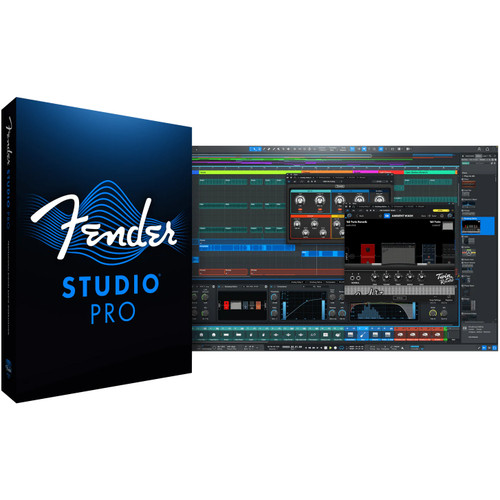
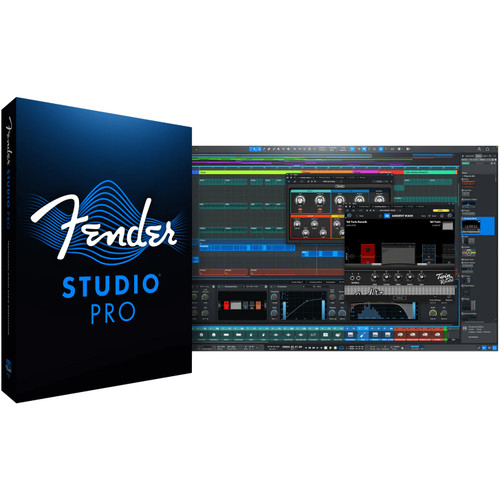
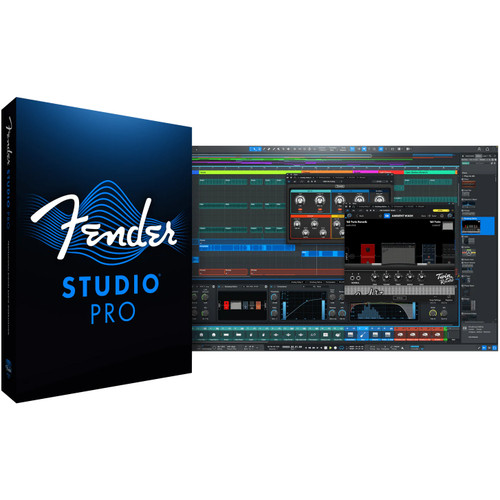
  PreSonus Studio One Professional 2.5 Music Production Software

PreSonus Studio One Professional 2.5 Music Production Software
PreSonus Studio One Pro 2.5


Alternative Views:


This product is delivered by download. Thanks to Front End Audio's partnership with Presonus, we will email your license information within 24 hours. However, if you're ordering after 6PM EST weekdays or on weekends, we'll process your order the next business day.

List Price: $449.95
Our Price: $399.95
You save $50.00!


Availability: Available For Download Within 24 Hours
Product Code: 9999-07262


PreSonus Studio One Pro Music Production Software Details

You will find PreSonus Studio One a serious alternative to the intimidating, bloated offerings currently considered the standards. It's a groundbreaking music creation and production application for Mac OS X and Windows XP/Vista/7 that makes audio recording, MIDI sequencing, and audio mastering ridiculously simple right out of the box.

Studio One changes the rules of the game with fresh code, innovative drag-and-drop MIDI mapping and plug-in management, auto-configuration with PreSonus hardware, insanely good audio quality, unlimited tracks and plug-ins per track, and a powerful, inventive Start page.

And although Studio One Pro hit the scene not too long ago, they've already added even still more pro chops with frequent updates. From tracking to mixing to mastering and distribution, it's the creative environment built for intuitive use, speed, and efficiency - and yet it's robust enough for the most complex productions.

PreSonus Studio One Pro Music Production Software Features

For the committed, spends-days-locked-in-the-studio producer, Studio One Pro adds a serious mastering suite, 64-bit audio, VST and AU support, more 64-bit Native Effects plug-ins, and boatloads more third-party resources. You can buy Studio One Pro separately or upgrade to it from Studio One Artist.

Highlights

  • Elegant single-window work environment
  • Powerful drag-and-drop functionality
  • Unlimited audio tracks, MIDI tracks, virtual instruments, buses, and FX channels
  • Content browser with convenient sort options and preview player
  • Integrated mastering suite with automatic mix updating, Red Book CD burning, and digital release
  • MP3 import and export
  • AU, VST 2, VST 3.1, and ReWire support
  • Automatic delay compensation
  • Advanced automation
  • 64-bit audio processing
  • Easy-to-use sidechain routing
  • Stunning virtual instruments
  • User-friendly sampler
  • Most intuitive MIDI-mapping system available
  • Real-time audio time stretching and resampling
  • K-System metering
  • Compatible with any ASIO-, Windows Audio-, or Core Audio-compliant audio interface
  • Works with key commands from Pro Tools, Cubase, and Logic - or create your own key commands

What's New In PreSonus Studio One Pro 1.6

  • ntegrated QuickTime Video Player
  • Import video via + button or drag to Video Player or arrangement
  • Video Offset setting with frame skip
  • Audio-track extraction
  • Mute button to mute audio embedded in video
  • First-of-its-kind integrated SoundCloud client (www.soundcloud.com)
  • Upload to SoundCloud directly from Studio One
  • Digital Release has real-time mixdown
  • Add album/song art to Project
  • Add post-fader master inserts to Project
  • OSX Snow Leopard 64-bit Version
  • Follow Edit Position Mode - the timeline cursor follows the event position
  • Improved automation editing
  • Figure drawing (line, parabola, square, triangle, saw, sine)
  • Unique Transform Tool (line, parabola, square, triangle, saw, sine)
  • Selected Automation Track points locked to selected events (move selected automation with selected events)
  • Key Command editor
  • Save/Load template
  • Learn function
  • Search function
  • Undo History
  • In Menu/View/History
  • Drag to Browser functions
  • Drop instrument parts to File Browser to export MIDI file at drop location
  • Drop audio events or ranges to File Browser to export audio clip at drop location
  • Fade is bounced to audio
  • Drop Presets from mixer (Inserts and Instruments)
  • To File Browser creates preset in folder of file system
  • To Instrument or Effect Browser creates preset at user's preset location
  • Works for FX chains (Drag insert label to browser)
  • REX file support - place on audio track
  • Select single slices in the browser
  • Load into Sample One with right-click menu
  • Mackie HUI support for control surfaces
  • Control-surface placement for grouping fader banks together
  • Mackie Extender support
  • 4 Groups possible
  • Arrange surfaces via drag-and-drop
  • File Type filter for Browser in Options/Locations/File Types - shows all supported file types
  • Add/remove user file extensions to list to be shown in File Browser
  • Drum-map pitch-name editor
  • Save/Load pitch-name lists
  • GM list available as preset
  • Plug-in Bypass function (automatable)
  • Dynamic Timestretch - accommodates tempo changes within Events
  • Delete time (Range) function
  • Export Stems
  • Tracks and Channels - Choose from Tracks in the Arrangement, or Channels in the Console, including buses and FX Channels
  • Overlaps- Choose to create overlaps if exporting between markers
  • Select All/None
  • MIDI preview player - plays MIDI through the selected Instrument Track
  • Expand MIDI files to preview single tracks/drag them to the arrangement
  • Constrain position when dragging events between tracks
  • Has an automatic snapping range
  • Hold Shift to turn off snapping
  • MTC Send option in instruments device
  • Display Offset option in Song Setup
  • Clear Recent Documents function
  • 1.In the menu
  • 2.Contextual menu on Start page Recent list
  • Quantize note ends
  • Latency compensation for Insert FX on input channels
  • Turbo mode for scrolling while dragging (press space bar while dragging)
  • Locate when clicked in empty space (Options/Advanced/editing)
  • Locate to Mouse Cursor command (Cmd + Space)
  • Browser commands
  • Delete, New Folder, Rename
  • Move/Copy via drag-and-drop
  • Global Dithering option in the Advanced Options/Audio Engine - enables use of third-party dithering
  • Drag audio ranges to Sample One or Impact (audio will be bounced)
  • Support for Apple Loops (CAF files, OS X only)
  • Split at Cursor command
  • Show in Console command in Plug-in Editor's Plug-in Select menu - helps to find your open plug-in in the console
  • Nudge commands in Edit menu
  • Drag notes from Editor to timeline or Browser (creates part or MIDI file)
  • Set loop-range left and right with Cmd and Alt mouse-click in the timeline ruler
  • Musical functions to split notes based on quantization and explode pitches to new Parts

Effects and Instruments

  • Native Effects 64-bit effects library with 26 dynamics processors,reverbs, modulations effects, amp simulators, etc.
  • Ampire - Amplifier-Modeling
  • Analog Delay - tape-delay emulation
  • Auto Filter - Envelope Filter
  • Beat Delay - Tempo-Synchronized Delay
  • Binaural Pan - Stereo Panning Effect
  • Channel Strip - Dynamics Processing and Equalizer
  • Chorus - Mono/Stereo Chorus
  • Compressor - Mono/Stereo Variable Compressor
  • Expander - mono/stereo expander
  • Flanger - Stereo/Mono Flanger
  • Gate - noise gate, now with MIDI trigger
  • Groove Delay - multitap and tempo-synchronized delay
  • Level Meter - sizable peak/rms meter
  • Limiter - Mono/Stereo Limiter
  • Mixtool - Phase and MS Utility
  • MixVerb - Mono/Stereo Reverb
  • Multiband Dynamics - mono/stereo multiband compressor/expander
  • Phase Meter - phase-correlation analysis
  • Phaser - mono/stereo phaser
  • Pipeline - hardware insert (use external hardware processor, with scope and delay compensation)
  • ProEQ - 7-band parametric EQ
  • Red Light Distortion - distortion processor
  • Room Reverb - stereo/mono room reverb
  • Scope- full featured oscilloscope with sidechain input
  • Spectrum Meter - frequency analyzer
  • Tricomp - 3-band compressor
  • Tuner- instrument tuner
  • X-Trem - mono/stereo tremolo
  • Four virtual instruments
  • Impact Sample Trigger Drum Instrument with 32 drum kits by Ueberschall
    • Now with multi-velocity layer capability
  • Presence Sample Player Virtual Instrument with 200 sampled instruments by Digital Sound Factory plus 100 additional premium Digital Sound Factory sampled instruments
    • Now with multi-FX section and up to 96 voices
    • New Synth Session Soundset adds over 150 new instruments
  • Sample One Sampler Virtual Instrument
    • New design with high-quality filter and switchable filter types, and now up to 96 voices
  • MojitoAnalog-Modeling Subtractive Synthesizer
  • Native Instruments Kore Player with 150 instruments
  • Custom SoundPack for Kore Player, with 200 more instruments
  • Native Instruments Guitar Rig LE
  • Toontrack EZ Drummer Lite
  • Nearly 1,400 drum loops (1.4 GB!) by Bandmate Loops plus -
  • More than 2,000 additional loops (4 GB) by Bandmate Loops
  • Up to five installations and activations
  • Free jambalaya recipe!

PreSonus Studio One Pro Music Production Software System Requirements

MAC

  • Operating Systems:
    • Mac OS X 10.5.2 or higher
  • Hardware:
    • Minimum:
      • + PowerPC G4 1.25 GHz or Intel Core Solo 1.5 GHz processor
      • + 1 GB RAM
  • Recommended:
    • + PowerPC G5 or better or Intel Core Duo or Intel Xeon processor or better
    • + 2 GB or more RAM

Windows PC

  • Operating Systems:
    • Windows XP, Windows Vista, and Windows 7
  • Hardware:
    • Minimum:
      • + Intel Pentium 4 1.6 GHz processor or AMD Athlon 64 (Turion)
      • + 1 GB RAM
  • Recommended:
    • + Intel Pentium 4 2.8 GHz EM64T or better or AMD Athlon 64 3000+ or better
    • + 2 GB or more RAM

PreSonus Studio One Pro Music Production Software Downloads

What We Think

"PreSonus' Studio One Pro software has become a favorite DAW around here. Why? Well, for one it is intuitive. If you have some working knowledge of the basic features and layout of a DAW, then you can typically sit down and 'feel' your way through. I basically was able to get up and running with minimal guidance from the manual. What I found was that many of the functions that have traditionally taken forever (such as importing audio) in other systems now are easily dragged and dropped into the edit window directly from the built-in and convenient browser. I can have playable audio with all the waveforms drawn across 24 tracks in under a minute (depending upon processor speed, of course) - this used to take over 20 minutes per song on the same computer in another high-end DAW.

Studio One Pro comes with tons of effects and functionality built right into it. I love the routing and automation capabilities. I've used a lot of different DAW programs and though all of them have certain little things that are unique to them, I honestly find that I am not missing anything with Studio One. In fact, I find that the flexibility and intuitive feel allow me to work quickly and figure things out without having to 'consult the oracle', as it were. PreSonus did this really well and they are continuing to keep on making it better."

Alan Moon - Front End Audio

Click here to view all PreSonus products


Share your knowledge of this product with other customers... Be the first to write a review